Paste a linkGet the recipePlan the weekThe list writes itselfTikTokInstagram ReelsYouTube Shorts
Paste a linkGet the recipePlan the weekThe list writes itselfTikTokInstagram ReelsYouTube Shorts
What is SheCooked?
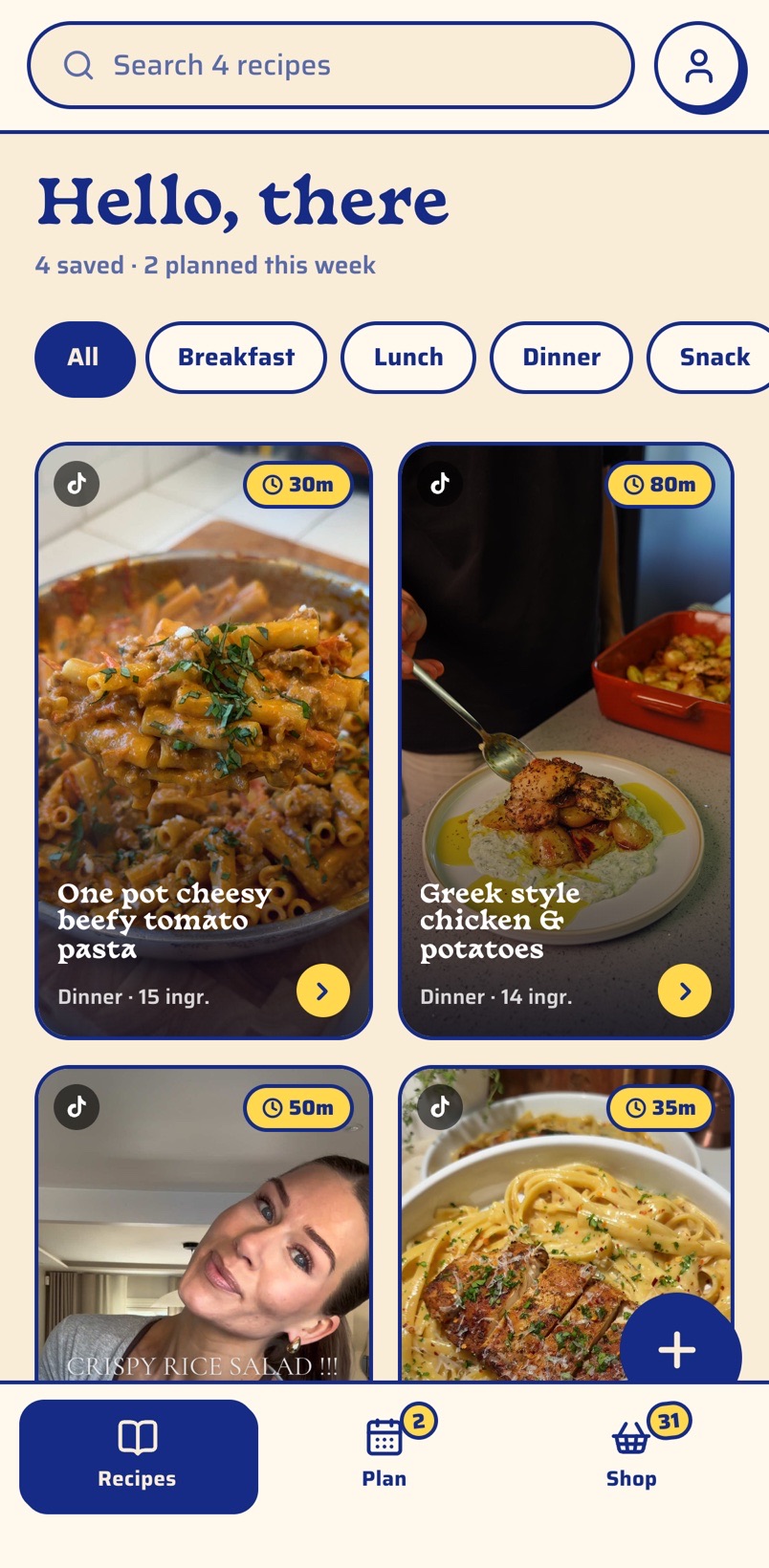
SheCooked is an app that turns TikTok, Instagram Reels and YouTube Shorts cooking videos into written recipes. Paste a link and the ingredients, amounts and steps are read from the video. Then the recipe goes onto your weekly plan and into a shopping list that merges ingredients and sorts them by aisle.
How to save a recipe from a TikTok video
Under a minute, and the same for Instagram Reels and YouTube Shorts.
1
Copy the video link
In TikTok, Instagram or YouTube, tap Share, then Copy link.
2
Paste it into SheCooked
The caption is read in seconds: ingredients with amounts, steps and cooking time, shown in metric or US units.
3
Plan it and shop
Put the recipe on a day of the week. Its ingredients join your shopping list, merged with everything else you planned and sorted by aisle.
9:41
Pricing
Everything works on the free plan. Plus only lifts the monthly import limit.
Free
€0
forever
10 recipe imports a month, renewing on the 1st
Weekly meal planner
Shopping list sorted by aisle
Metric or US units
SheCooked Plus
€8.99
per month, cancel anytime
Unlimited recipe imports
Everything in Free
Questions
Straight answers about how SheCooked works.
How do I save a recipe from a TikTok video?
Copy the video’s link (Share, then Copy link) and paste it into SheCooked. The app reads the caption and turns it into a written recipe with ingredients, amounts and steps. The recipe stays in your cookbook, so the video no longer gets lost in your saved posts.
Does SheCooked work with Instagram Reels and YouTube Shorts?
Yes. SheCooked reads TikTok, Instagram Reels and YouTube Shorts links. Instagram sometimes hides a post’s description from apps; when that happens, SheCooked asks you to paste the caption text instead and builds the recipe from it the same way.
What if the video’s caption doesn’t include the recipe?
SheCooked tells you instead of guessing silently. If the recipe is in a comment or on screen, you can paste or type it in. When only a dish name is available, the app can suggest a recipe, but it marks it clearly as an estimate to check against the video.
Is SheCooked free?
Yes. The free plan includes 10 recipe imports a month, renewing on the 1st, plus the weekly planner and the shopping list. SheCooked Plus costs €8.99 a month and removes the import limit. You can cancel anytime.
How does the shopping list work?
Every recipe you plan adds its ingredients to one list. Matching items are merged even across units, so 1 lb of beef and 500 g of beef become a single line, and the list is sorted by supermarket aisle. Small spoon amounts are listed without a quantity, since nobody buys a teaspoon of salt.
Can I use metric or US units?
Yes. Choose metric (grams and millilitres) or US (ounces and cups) in your profile, and every recipe and shopping list switches over, whatever units the original video used. Spoons stay spoons.
Do I need an account?
No. Your cookbook works on your device without signing up. A free account keeps your recipes, weekly plan and shopping list in sync across your devices, and you can delete it at any time from inside the app.
When is SheCooked available on iPhone and Android?
SheCooked is coming soon to the App Store and Google Play. The buttons on this page will link straight to the stores on launch day.
 SheCooked
 TikTok
Instagram Reels
YouTube Shorts
TikTok
Instagram Reels
YouTube Shorts